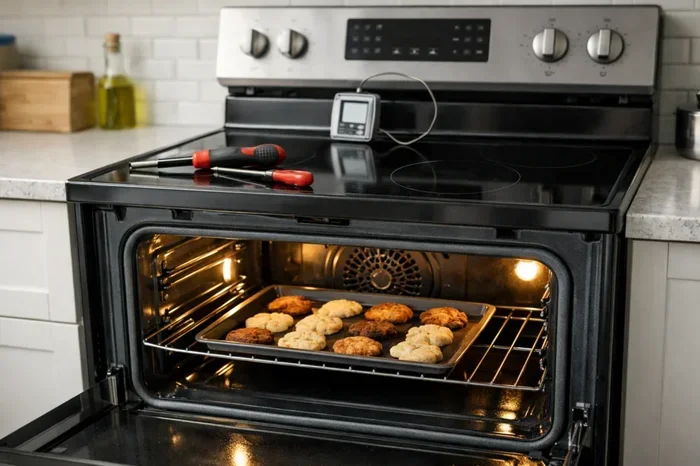
Ge Oven Bake Not Working Troubleshooting Tips and Solutions
A GE oven bake not working is a frustrating problem, but most causes are simple to fix at home. Whether your GE electric oven won’t heat for baking or the temperature is way off, this guide covers every common cause and solution. You will learn to diagnose the bake element, thermal fuse, oven control board, and more with clear step-by-step instructions.
You preheat your GE oven, set it to the right temperature, and pop in your favorite recipe. But then you wait. And wait. The food comes out undercooked, or the oven simply refuses to heat up at all. A GE oven bake not working is one of the most common appliance problems homeowners face. The good news is that you do not need to be a repair expert to figure out what is going on.
Most of the time, the reason behind this issue is something simple and fixable. It could be a burned-out bake element, a tripped thermal fuse, or a faulty temperature sensor. This guide walks you through every possible cause, step by step. You will learn how to diagnose the problem, what parts to check, and when it is time to call in a professional. Let us get your oven back to baking perfection.
Key Takeaways
- Check the bake element first: A visibly damaged or burnt-out bake element is the most common reason a GE oven won’t heat for baking.
- Test the oven temperature sensor: A faulty sensor can cause uneven baking or prevent the oven from reaching the right temperature.
- Inspect the thermal fuse: A blown thermal fuse will completely cut power to the bake function and needs replacement.
- Don’t ignore error codes: GE ovens display specific codes that point directly to the failing component.
- Calibrate your oven regularly: Proper calibration ensures your GE oven bakes at the correct temperature every time.
- Know when to call a pro: Complex issues like a bad control board or wiring problems are best handled by a qualified technician.
📑 Table of Contents
- Why Your GE Oven Bake Function Might Stop Working
- Common Signs That Your GE Oven Bake Is Failing
- Step-by-Step Troubleshooting for GE Oven Bake Issues
- Key Components That Control the Bake Function
- When to Call a Professional for GE Oven Repair
- Preventive Maintenance Tips for Your GE Oven
- Comparing Common GE Oven Bake Problems and Fixes
- Key Takeaways
- Frequently Asked Questions
- Conclusion
Why Your GE Oven Bake Function Might Stop Working
Understanding how your GE oven bake function works makes troubleshooting much easier. When you select the bake mode, the oven sends electrical current to the bottom heating element. This element glows red hot and radiates heat upward to cook your food evenly. If any part of this process breaks down, your oven will not bake properly.
Several components work together to make the bake function operate. The bake element generates the heat. The oven temperature sensor monitors the internal temperature. The control board sends signals to turn the heat on and off. The thermal fuse protects the oven from overheating. When one of these parts fails, the entire bake heating system can shut down.
It helps to think of your oven like a team. Every player has a role. If one player sits out, the whole game changes. The same is true for your GE electric oven. A single faulty part can stop the bake function completely. That is why we need to check each component carefully.
Common Reasons the Bake Heat Stops
- Burnt-out bake element: The heating coil breaks or develops holes from wear and tear.
- Blown thermal fuse: This safety device cuts power when it detects overheating.
- Faulty temperature sensor: The sensor sends wrong readings, so the oven thinks it is already hot enough.
- Bad control board: The brain of the oven fails to send power to the bake element.
- Wiring issues: Loose or damaged wires disrupt the electrical connection.
- Faulty relay on the control board: The relay switch that sends power to the bake element wears out over time.
Common Signs That Your GE Oven Bake Is Failing
Your oven usually gives you warning signs before it completely stops working. Recognizing these early signals can save you from a ruined meal and a bigger repair bill later. Pay close attention to how your oven behaves during the bake mode.
Food Comes Out Undercooked or Unevenly Baked
If your food is raw on the bottom but done on top, the bottom heating element is likely not working. This is one of the clearest signs of a bake element failure. The top broil element may still work fine, which is why food can cook on the top but not the bottom. You might also notice cold spots inside the oven, which points to a different issue entirely.
The Oven Does Not Heat Up at All
When you set the oven to bake and the temperature never rises, something major is wrong. The oven might display an error code, or it might just sit there doing nothing. In either case, the bake function has completely stopped. This usually means the power supply to the bake element has been interrupted by a blown fuse, a bad sensor, or a failed control board.
The Oven Takes Too Long to Preheat
A GE oven should preheat to 350 degrees Fahrenheit in about 10 to 15 minutes. If it takes 25 minutes or more, something is not right. A weak bake element that is partially damaged may still produce some heat but not enough. A failing temperature sensor can also trick the oven into thinking it has not reached the target temperature yet.
You See Visible Damage on the Bake Element
Open the oven and look at the bottom heating element. A healthy bake element glows evenly red when the oven is on. If you see spots that are brighter, spots that are dark, or actual holes and cracks in the coil, the element has burned out. This is an easy visual diagnosis that does not require any tools.
The Oven Displays Error Codes
Modern GE ovens have digital displays that show specific error codes when something goes wrong. Codes like F1, F2, F3, or F7 often relate to oven temperature sensor or control board problems. Check your owner’s manual for the meaning of each code. These error codes are like a roadmap that leads you straight to the root cause of the bake not working issue.
Step-by-Step Troubleshooting for GE Oven Bake Issues
Now that you know the common signs, let us get hands-on. These troubleshooting steps will help you pinpoint the exact problem. Always unplug the oven or turn off the circuit breaker before you start any repair work. Safety comes first.
Step 1: Check the Power Supply
Before you tear into any components, make sure the oven is getting power. Check the outlet with another appliance. Look at your home’s electrical panel for a tripped breaker. A GE oven needs a dedicated 240-volt circuit to operate the bake function properly. If the breaker has tripped, reset it and try again. If it trips again immediately, there is likely a short circuit somewhere inside the oven that needs professional attention.
Step 2: Inspect the Bake Element
Remove the oven racks and look at the bottom heating element. You are looking for visible damage like blistering, cracking, or holes. Even if the element looks fine from the outside, it could still be broken inside. To test it, use a multimeter set to the ohms setting. Touch the probes to the element terminals. A working bake element should read between 20 and 40 ohms. If you get a reading of zero or infinity, the element is dead and needs replacement.
Step 3: Test the Oven Temperature Sensor
The temperature sensor is a thin metal rod located inside the oven cavity, usually near the back wall. Pull it out gently and check for visible damage or corrosion. Use your multimeter to test its resistance. At room temperature, it should read around 1,080 to 1,100 ohms. If the reading is way off, the sensor is not communicating correctly with the control board, and the oven will not heat the bake element properly. Replacing a faulty sensor is inexpensive and straightforward.
Step 4: Check the Thermal Fuse
The thermal fuse is a one-time safety device that protects your oven from overheating. You can find it mounted on the back wall of the oven or near the bake element. Test it with a multimeter for continuity. If the fuse shows no continuity, it has blown and must be replaced. A blown thermal fuse will completely disable the bake function. Note that if the fuse blew once, find out why before replacing it. A stuck thermostat or a blocked vent could have caused the overheat that blew the fuse in the first place.
Step 5: Examine the Control Board
The oven control board is the brain that tells every part of the oven what to do. If the board fails, the bake element will not receive the signal to turn on. Look for visible signs of burning or scorching on the board. You can also check the relays that control the bake function. If you are not comfortable testing the control board yourself, this is a good time to call a professional. Replacing a control board can be costly, so make sure you have ruled out simpler causes first.
Step 6: Verify the Oven Calibration
Sometimes the oven works fine but bakes at the wrong temperature. This is a calibration issue. Place an independent oven thermometer inside your GE oven and set it to 350 degrees. Wait 20 minutes and check the thermometer reading. If the oven reads 325 or 375 degrees, the calibration is off. Many GE ovens let you adjust the calibration through the control panel. Refer to your owner’s manual for the specific steps to recalibrate your oven thermostat.
Key Components That Control the Bake Function
Understanding the main parts of your GE oven bake system helps you talk confidently with repair technicians and make smart decisions about repairs. Here is a closer look at the essential components.
The Bake Element
The bake element is the bottom heating coil inside your oven. It is the primary source of heat for baking, broiling, and roasting. Over time, exposure to extreme heat causes the element to weaken. You might notice it glowing unevenly or not glowing at all. A fully functional bake element should glow a bright, even red. If you see dark spots or sections that do not glow, the element has failed and needs to be replaced. Fortunately, this is one of the most affordable and easiest repairs to perform on a GE range.
The Temperature Sensor
The oven temperature sensor is the small metal probe that monitors the internal heat level. It sends real-time temperature data to the control board, which decides when to turn the bake element on and off. A sensor that is coated in grease or food residue may give inaccurate readings. A sensor that has physically broken or shorted out will send wrong data entirely. Cleaning the sensor with a mild detergent can sometimes fix minor issues, but a dead sensor needs a full replacement.
The Thermal Fuse
The thermal fuse is a safety mechanism, not a repairable part. Once it blows, it must be replaced. It protects the oven from dangerous overheating situations. Common causes of a blown thermal fuse include a clogged vent, a malfunctioning thermostat, or a failed bake element drawing too much current. Always address the root cause before replacing the fuse, or it will blow again.
The Control Board and Relay
The control board manages every function of your GE oven. It receives input from the user, reads data from the temperature sensor, and sends electrical signals through relays to activate the bake element and broil element. A faulty relay board is one of the more expensive repairs but is sometimes the only solution when all other components check out fine. If your oven shows error codes related to the control system, the board is likely the culprit.
When to Call a Professional for GE Oven Repair
Not every GE oven bake not working problem is a DIY fix. Some issues require the skills and tools of a certified appliance technician. Here is when you should pick up the phone and call for help.
- You smell burning or see sparks inside the oven: This indicates a serious electrical problem that could be dangerous.
- The control board shows multiple error codes: Complex board failures need professional diagnostic equipment.
- You have checked all the simple parts and the oven still will not bake: The problem is likely deeper, like internal wiring or a relay issue.
- You are not comfortable working with electrical components: There is no shame in calling an expert. A GE appliance repair technician has the training and experience to fix the problem safely and quickly.
- Your oven is still under warranty: Attempting DIY repairs can void your warranty. Contact the manufacturer or an authorized service center instead.
A qualified technician can run a full diagnostic on your GE oven and identify the exact cause of the bake heating issue. They will have access to genuine OEM replacement parts, which ensures the repair lasts. While a service call costs money, it is often cheaper than buying a whole new oven when the problem turns out to be a simple fix.
Preventive Maintenance Tips for Your GE Oven
The best way to deal with a GE oven bake not working problem is to prevent it from happening in the first place. Regular maintenance keeps all components healthy and extends the life of your oven.
Clean the Oven Regularly
Grease and food debris build up inside your oven over time. This residue can coat the temperature sensor and cause it to read inaccurately. It can also drip onto the bake element and cause hot spots or uneven heating. Clean your oven at least once a month using a gentle oven cleaner or a baking soda and water paste. Avoid using abrasive scrubbers that could damage the heating element or the sensor probe.
Run the Self-Clean Cycle Properly
If your GE oven has a self-clean feature, use it occasionally to burn off heavy grease buildup. However, do not run the self-clean cycle more than necessary. The extreme heat involved can stress the thermal fuse, the door seals, and the control board. After the self-clean cycle finishes, let the oven cool completely before opening the door.
Check the Door Seal
A worn-out door seal lets heat escape from the oven cavity. This forces the oven thermostat to work harder and can lead to uneven bake results. Run your hand along the door gasket while the oven is preheating. If you feel heat escaping, the seal needs to be replaced. A new door gasket is inexpensive and easy to install.
Use the Right Cookware
Thick, warped baking sheets can block airflow inside the oven and cause uneven heating. Use lightweight, flat baking pans that allow hot air to circulate freely around your food. This simple habit reduces strain on the bake element and helps your GE oven maintain a consistent temperature.
Schedule Annual Professional Maintenance
Just like your car needs an oil change, your GE oven benefits from an annual check-up. A technician can inspect the wiring, test the relay board, clean the ventilation system, and calibrate the oven thermostat. This proactive approach catches small problems before they turn into expensive repairs or a complete bake failure.
Comparing Common GE Oven Bake Problems and Fixes
Here is a quick comparison of the most frequent GE oven bake not working issues and the best solutions for each one.
| Problem | Likely Cause | Fix |
|---|---|---|
| Oven does not heat at all in bake mode | Burnt-out bake element or blown thermal fuse | Replace the bake element or thermal fuse |
| Food undercooked on bottom, done on top | Partially failed bake element | Replace the bake element |
| Oven takes too long to preheat | Weak bake element or faulty temperature sensor | Test and replace the sensor or element |
| Oven temperature is off by 25-50 degrees | Calibration issue or failing sensor | Recalibrate oven or replace sensor |
| Oven displays error code during bake | Control board or sensor failure | Check error code, replace board or sensor |
| Oven heats but then shuts off mid-cycle | Blown thermal fuse or bad relay on control board | Replace thermal fuse or control board |
Key Takeaways
- Check the bake element first: A visibly damaged or burnt-out bake element is the most common reason a GE oven won’t heat for baking.
- Test the oven temperature sensor: A faulty sensor can cause uneven baking or prevent the oven from reaching the right temperature.
- Inspect the thermal fuse: A blown thermal fuse will completely cut power to the bake function and needs replacement.
- Don’t ignore error codes: GE ovens display specific codes that point directly to the failing component.
- Calibrate your oven regularly: Proper calibration ensures your GE oven bakes at the correct temperature every time.
- Know when to call a pro: Complex issues like a bad control board or wiring problems are best handled by a qualified technician.
Frequently Asked Questions
Why does my GE oven turn on but not heat up for baking?
The most likely reason is a burnt-out bake element. When the bake element fails, the oven may still light up and run the fan, but it will not produce heat for baking. Inspect the element for visible damage and test it with a multimeter to confirm. If it reads zero or infinite resistance, you need a replacement.
How do I know if the thermal fuse is blown in my GE oven?
A blown thermal fuse completely cuts power to the bake function. You can test it with a multimeter set to continuity mode. If there is no continuity, the fuse is dead and must be replaced. Always find out why the fuse blew in the first place to prevent it from happening again.
Can I fix the bake element myself?
Yes, replacing a bake element is one of the easiest oven repairs you can do at home. You simply unplug the old element, disconnect the wiring, mount the new one, and reconnect everything. Just make sure you unplug the oven or turn off the breaker before you start. If you are unsure about any electrical work, hire a professional.
What does it mean when my GE oven displays an F3 error code?
An F3 error code on most GE ovens indicates a problem with the oven temperature sensor or its wiring. The sensor may be shorted out, open, or sending incorrect readings. Check the sensor’s resistance with a multimeter and compare it to the expected range. Replace the sensor if the readings are outside the normal parameters.
How often should I calibrate my GE oven?
You should check your GE oven calibration at least once a year. If you notice that your food is consistently overcooked or undercooked, test the temperature with an independent oven thermometer. Most GE ovens allow you to adjust the calibration offset by a few degrees through the control panel to correct minor temperature drift.
Is it worth repairing a GE oven that won’t bake?
In most cases, yes. A simple repair like replacing a bake element, temperature sensor, or thermal fuse costs much less than buying a new oven. If the control board has failed, the repair cost may be higher, but it is still often worth it for a relatively new GE range. Consider the age of your oven and the total repair cost before deciding.
Conclusion
A GE oven bake not working does not have to mean a ruined dinner or an expensive replacement. Most of the time, the cause is something simple like a burned-out bake element, a blown thermal fuse, or a faulty temperature sensor. By following the troubleshooting steps in this guide, you can identify the problem and fix it yourself in many cases.
Remember to always prioritize safety. Unplug the oven before inspecting any internal components. Use a multimeter to test parts accurately. And do not hesitate to call a professional when the problem goes beyond your comfort level. Regular maintenance like cleaning the oven, checking the door seal, and calibrating the thermostat will keep your GE oven running smoothly for years to come.
Now that you have the knowledge and confidence to tackle this problem, go ahead and get your oven back in action. Your next home-baked meal is waiting, and your GE oven is ready to deliver perfect results once again.